If you have ever downloaded a PNG image and noticed terms like PNG-8, PNG-24, or PNG-32, you may have wondered what they actually mean.
Does PNG-32 always have better quality than PNG-8? Is PNG-24 better for websites? And which PNG format should you use when saving a logo, graphic, icon, or transparent image?
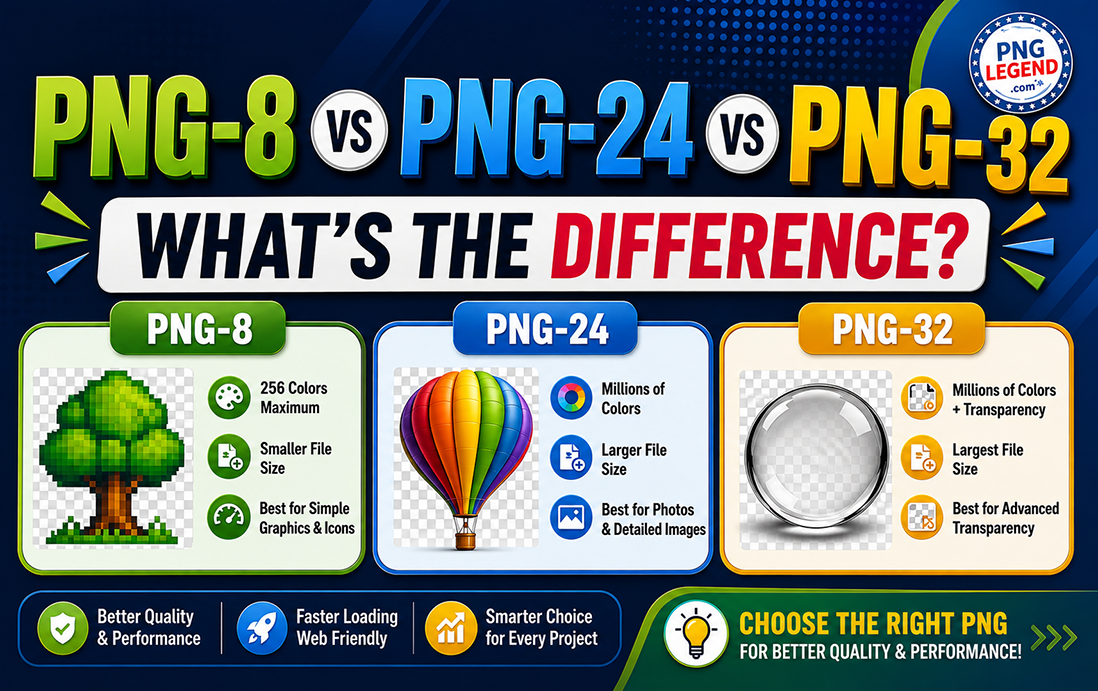
The short answer is: each PNG format is designed for a different purpose. The main differences come down to colour depth, transparency, image quality, and file size.
In this guide, we’ll explain the difference between PNG-8, PNG-24, and PNG-32 in simple terms and help you choose the right format for websites, social media, graphic design, and everyday use.
What Is PNG?
PNG stands for Portable Network Graphics. It is a popular image format known for its lossless compression and excellent support for transparency.
Unlike JPEG, PNG does not normally discard image data when an image is compressed. This makes PNG particularly useful for:
- Logos
- Icons
- Illustrations
- Screenshots
- Web graphics
- Text-based graphics
- Transparent images
- UI elements
- Digital design assets
If you want to understand PNG in more detail, read our guide: What Is a PNG File and Why Do Designers Prefer It?.
But PNG itself comes in different colour-depth variations. That is where PNG-8, PNG-24, and PNG-32 come in.
PNG-8 vs PNG-24 vs PNG-32: Quick Comparison
Before getting into the details, here is a simple comparison:
| Feature | PNG-8 | PNG-24 | PNG-32 |
|---|---|---|---|
| Maximum colours | 256 | 16.7 million | 16.7 million |
| Transparency | Limited | No/limited alpha transparency | Full alpha transparency |
| Image quality | Good for simple graphics | Excellent | Excellent |
| File size | Smallest | Larger | Usually largest |
| Best for | Icons, simple graphics | Photos, illustrations | Transparent graphics |
| Alpha transparency | No | No | Yes |
| Website use | Excellent when suitable | Good | Good, but optimise first |
Now let’s look at each format more closely.
What Is PNG-8?
PNG-8 uses up to 256 colours in an image. Because it has a much smaller colour palette than PNG-24 or PNG-32, PNG-8 files can be significantly smaller.
Think of PNG-8 as the lightweight option.
It works particularly well for images that contain a limited number of colours, such as:
- Simple logos
- Icons
- Pixel art
- Flat illustrations
- Buttons
- Small web graphics
- Simple diagrams
For example, imagine an icon containing only black, white, red, and blue. There is little benefit in storing millions of possible colours when the image only needs a handful.
The biggest advantage of PNG-8
The main advantage is small file size.
Smaller images can help websites load faster, especially for visitors using mobile networks.
The limitation
PNG-8 is not ideal for photographs or detailed images with smooth colour gradients.
If you convert a colourful photograph to PNG-8, you may notice banding, colour changes, or a generally less realistic appearance.
Would you sacrifice a little colour detail if it meant your website loaded noticeably faster?
That is one of the key questions to consider when choosing PNG-8.
What Is PNG-24?
PNG-24 supports up to 16.7 million colours, making it suitable for images containing detailed colour information.
Unlike PNG-8, which uses a limited palette, PNG-24 can represent millions of colours.
This makes it useful for:
- Detailed illustrations
- Digital artwork
- Complex graphics
- Screenshots
- Images with gradients
- High-quality web graphics
PNG-24 is particularly useful when maintaining accurate colours is more important than achieving the smallest possible file size.
However, there is an important point to remember: PNG-24 does not provide full 8-bit alpha transparency in the way PNG-32 does.
So if you need an image with smooth, partially transparent edges, PNG-32 may be the better choice.
What Is PNG-32?
PNG-32 is generally used to describe a PNG containing 24-bit RGB colour plus an 8-bit alpha channel.
That gives the image up to:
24 bits for colour + 8 bits for transparency = 32 bits per pixel.
The alpha channel is what makes PNG-32 particularly useful for transparent graphics.
It can store 256 levels of transparency, ranging from completely transparent to completely opaque.
This is extremely useful for:
- Logos with transparent backgrounds
- Product cut-outs
- Digital stickers
- Overlays
- Shadows
- Glowing effects
- Anti-aliased graphics
- Complex transparent illustrations
For example, imagine a logo with soft shadows around its edges. PNG-32 can preserve those partially transparent pixels much better than a simple indexed-colour PNG.
PNG-8 vs PNG-24: Which Should You Choose?
The choice between PNG-8 and PNG-24 largely depends on how complicated your image is.
Choose PNG-8 when:
- The image contains fewer colours.
- You need a small file.
- The graphic is simple.
- You are creating icons or basic web graphics.
Choose PNG-24 when:
- The image contains many colours.
- You need high colour accuracy.
- The graphic contains gradients.
- Image quality is more important than minimum file size.
For a simple website icon, PNG-8 may be perfectly adequate.
For a detailed illustration, PNG-24 is usually the safer choice.
PNG-24 vs PNG-32: What’s the Difference?
This is where things can become confusing.
Both PNG-24 and PNG-32 can provide millions of colours. The major difference is the alpha channel.
PNG-24 generally provides 24-bit colour information.
PNG-32 adds an additional 8-bit alpha channel for transparency.
That means PNG-32 is especially useful when you need smooth transparency.
For example, if you have a product image cut out from its background and want to place it over different website backgrounds, PNG-32 can preserve the transparent edges.
PNG-8 vs PNG-32: Which Is Better?
Neither is automatically “better.”
They are designed for different situations.
PNG-8 is better when file size is your priority and the image does not require millions of colours or complex transparency.
PNG-32 is better when you need high colour quality and detailed transparency.
Imagine two graphics:
Graphic A: A simple black-and-white website icon.
Graphic B: A detailed product image with shadows and transparent edges.
PNG-8 could be ideal for Graphic A, while PNG-32 would make much more sense for Graphic B.
So the real question isn’t “Which PNG is best?”
It is:
“Which PNG format is best for this particular image?”
Which PNG Format Is Best for Websites?
For websites, there is no single answer.
The best format depends on the graphic.
Use PNG-8 for simple graphics where reducing file size is important.
Use PNG-24 for detailed graphics that need a wide range of colours but don’t require sophisticated transparency.
Use PNG-32 when you need full alpha transparency, such as for logos, overlays, shadows, and cut-out images.
However, don’t automatically upload every image as PNG-32.
A larger image file can increase page weight and potentially affect loading performance.
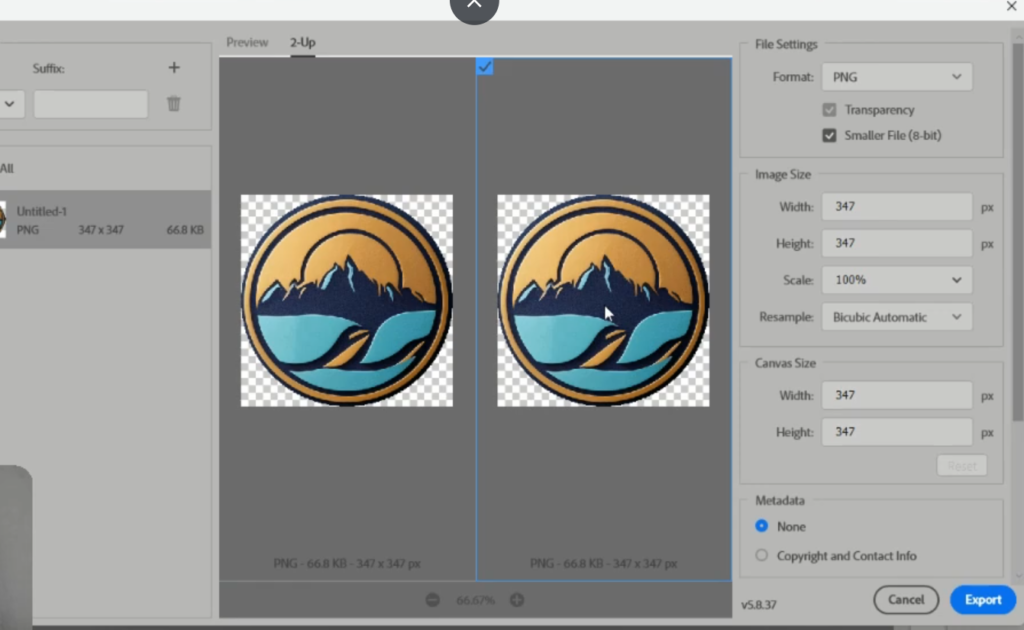
If you want to reduce the size of your PNG images, check out our guide:
How to Reduce PNG File Size Without Losing Quality: 10 Best Tools.
Does PNG-32 Mean Better Image Quality?
Not necessarily.
This is one of the most common misconceptions about PNG formats.
The “32” in PNG-32 refers to the total bits per pixel, not a simple quality rating.
The extra 8 bits are used for the alpha channel, which controls transparency.
Therefore, PNG-32 isn’t automatically a higher-quality version of every PNG image.
If your image doesn’t need detailed transparency, using PNG-32 may simply create a larger file without providing a noticeable visual benefit.
How Does PNG Format Affect Website Speed?
Image file size matters when building a fast website.
Large images require more data to download. This can be particularly important for visitors using mobile connections or slower networks.
For a website targeting visitors across the US, UK, Canada, and Singapore, optimising images can help provide a better experience across different devices and network conditions.
Before uploading a PNG, ask yourself:
Does this image really need all of its colours and transparency information?
If the answer is no, a smaller PNG format may be enough.
You can also read our PNG Image Size Guide: Best Dimensions for Web & Social Media to learn how image dimensions affect web and social-media graphics.
PNG-8 vs PNG-24 vs PNG-32: Final Verdict
The easiest way to remember the difference is this:
PNG-8 = Small colour palette + small file size
PNG-24 = Millions of colours + high colour quality
PNG-32 = Millions of colours + detailed transparency
There isn’t one universally “best” PNG format.
If you’re designing a simple icon, PNG-8 might be the smartest choice.
If you’re creating a detailed graphic, PNG-24 could be more appropriate.
And if your design needs smooth transparency, PNG-32 is usually the better option.
Which PNG format do you use most often—and have you ever chosen a larger PNG file when a smaller one would have worked just as well? Tell us in the comments.
Frequently Asked Questions
Is PNG-8 better than PNG-24?
Not necessarily. PNG-8 creates smaller files and works well for simple graphics with limited colours. PNG-24 is better for detailed images requiring millions of colours.
Is PNG-32 better than PNG-24?
PNG-32 is better when you need an alpha transparency channel with many levels of transparency. If transparency isn’t required, PNG-24 may be sufficient.
Does PNG-32 have better quality?
PNG-32 isn’t automatically higher quality. Its additional 8 bits are primarily used for transparency rather than simply increasing colour quality.
Which PNG format is best for a logo?
For a logo with a transparent background and smooth edges, PNG-32 can be a good choice. For a very simple logo with limited colours, PNG-8 may produce a smaller file.
Which PNG format is best for websites?
It depends on the image. PNG-8 is excellent for simple graphics, PNG-24 works well for detailed graphics, and PNG-32 is useful when full transparency is required.
Is PNG-8 smaller than PNG-24?
Usually, yes. PNG-8 uses a maximum of 256 colours, so simple images can often be stored in significantly smaller files.
Can PNG-8 have transparency?
PNG-8 can support transparency, but it is more limited than the full alpha transparency available with PNG-32.
Should I use PNG-32 for every transparent image?
No. PNG-32 can produce larger files. If your graphic only needs simple transparency and has a limited colour palette, PNG-8 may be more efficient.
What is the main difference between PNG-8, PNG-24 and PNG-32?
The key differences are colour depth, transparency capability, and resulting file size. PNG-8 supports up to 256 colours, PNG-24 supports millions of colours, and PNG-32 adds an 8-bit alpha channel for detailed transparency.
One Response
very informative article